
HOW IT WORKS
The voice-first legal billing workflow
CaseClock turns spoken legal work into structured, review-ready, billable time entries. Speak the work while context is fresh. Review the structured draft. Approve and sync to Clio or export to your billing system.
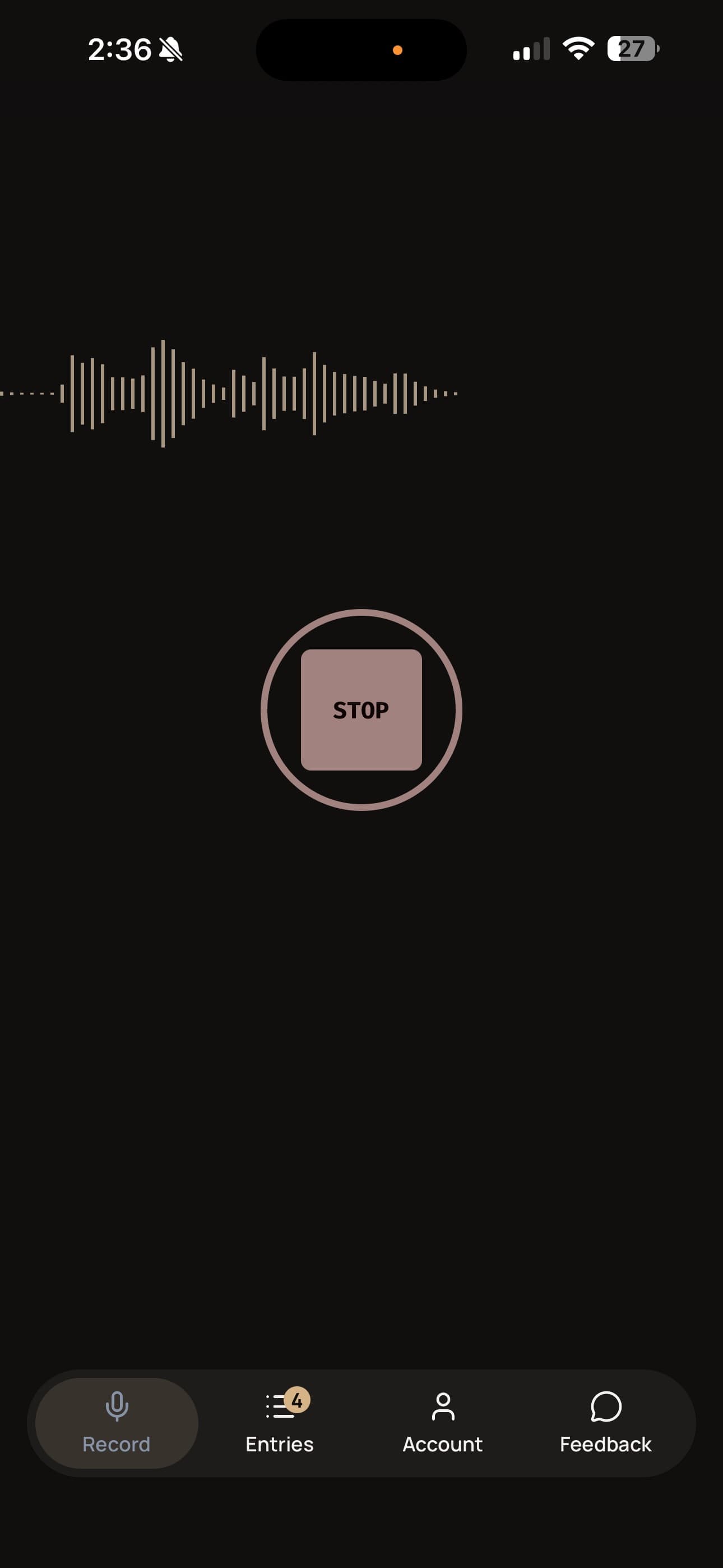
Voice-first capture
Speak the work while context is still fresh.
A call ends. A review finishes. A meeting breaks. In the 30 seconds before the next task starts, a lawyer opens CaseClock, speaks a time entry, and moves on. The matter, the substance, and the duration — captured while they are still clear.
CaseClock does more than transcribe. It structures spoken legal work into billable output through a billing-native workflow — and keeps the lawyer in control before anything moves forward.
- Speak immediately after a call, a review, or a meeting
- Works on mobile — where legal work actually happens
- No templates, no typing, no end-of-day reconstruction
Structured billing workflow
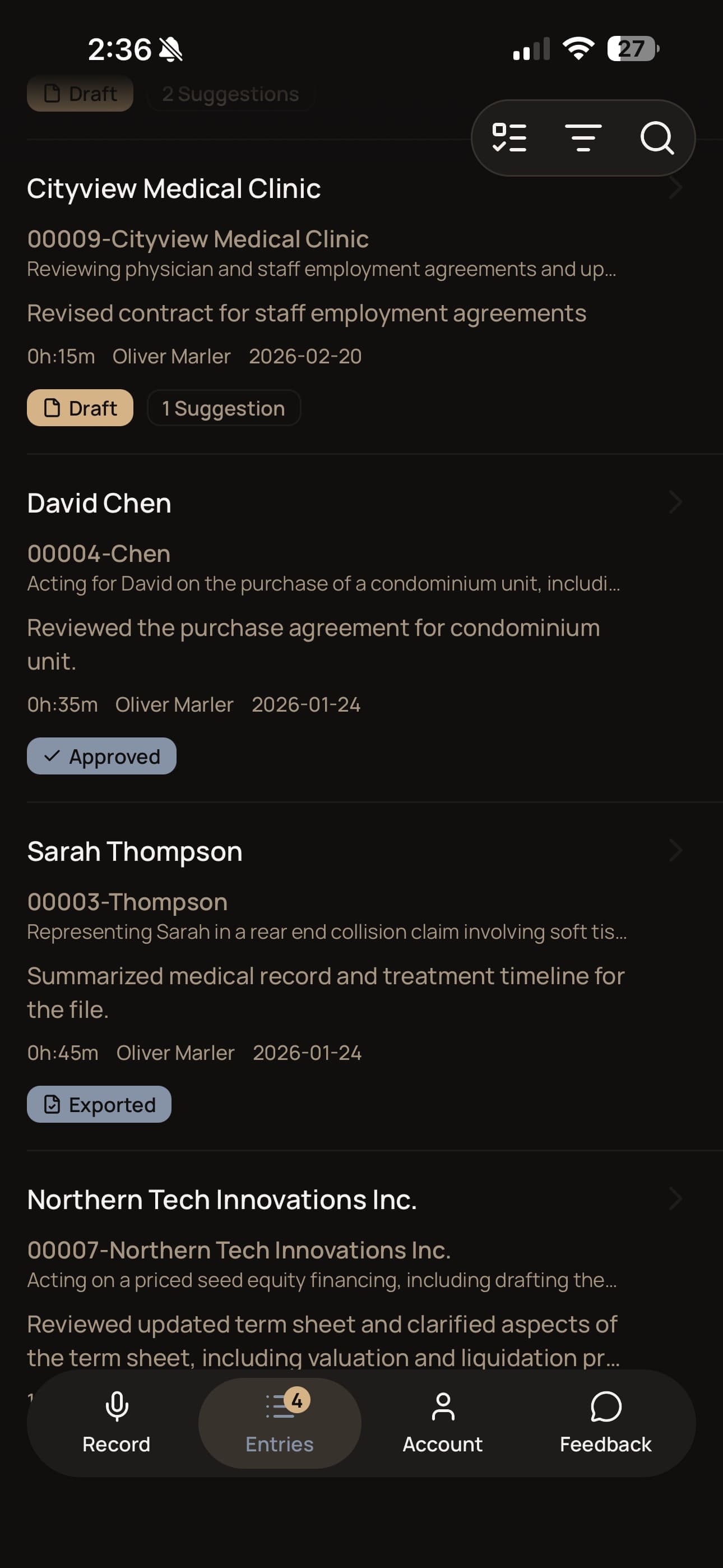
Not a transcript. A billing entry — ready to review.
CaseClock guides the spoken input through a billing-native workflow. The result is a structured draft — with the matter linked, the narrative shaped for legal billing, and the duration already set. The lawyer does not reformat speech. The lawyer reviews a billing entry.
- Structured draft produced from the spoken input — not raw text
- Matter linked, narrative shaped, duration set
- Review queue shows all pending drafts for approval
Lawyer review and approval
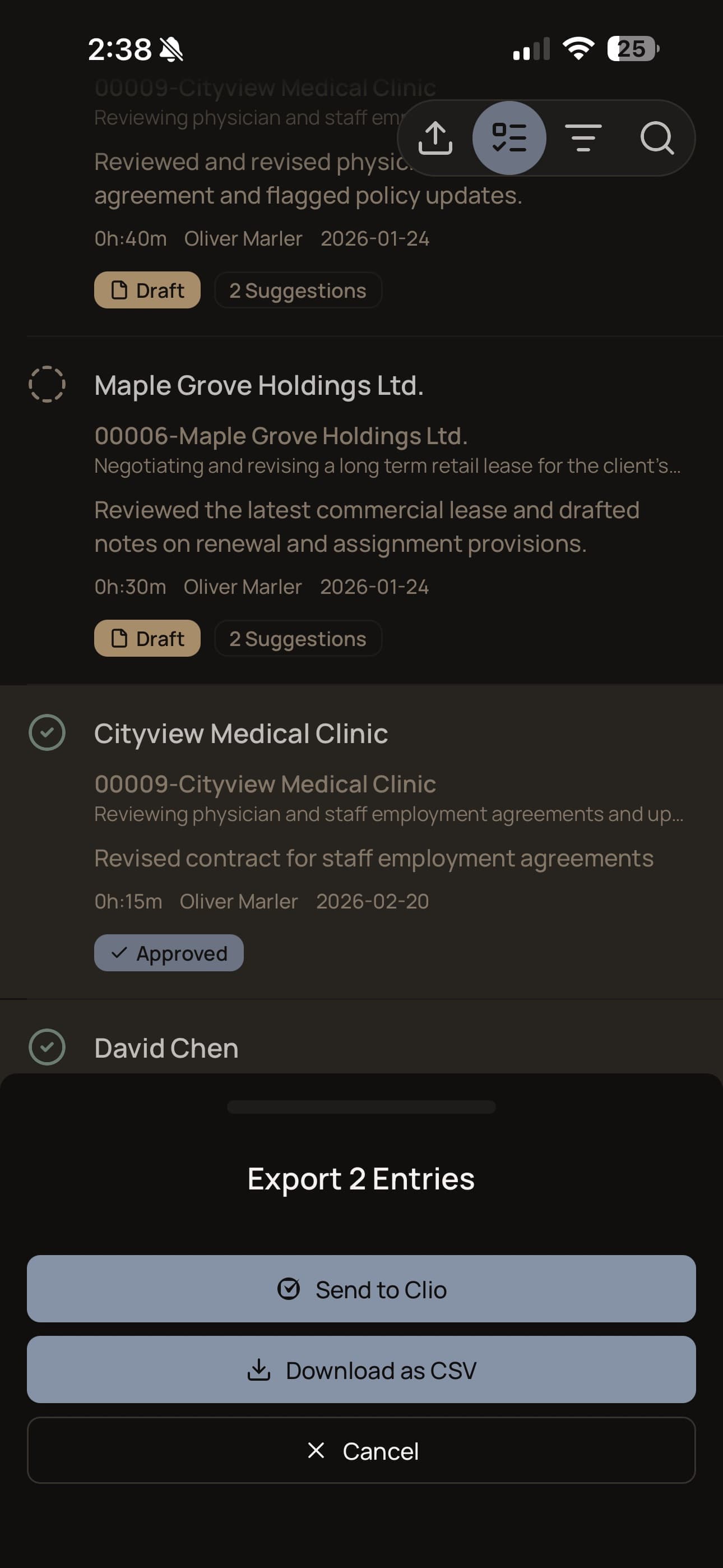
You review before anything moves.
Every entry CaseClock produces is a draft — not a submission. You see it, edit it if needed, and approve it. Only then does the entry move into the billing system. This is not an optional feature. It is how the product is designed to work. See the Clio sync guide for what syncs and what to expect.
- Every entry is a draft until the lawyer approves it
- Nothing syncs or exports without your sign-off
- Approved entries go to Clio directly, or export as structured CSV
The fastest way to understand this
The work you did yesterday is already gone.
You remember the big files. The negotiation, the document review that ran long, the deposition prep. What you no longer have is the 20-minute call before lunch, the quick clause review between meetings, the corridor question that turned into 15 minutes of substantive advice.
That work happened. You just didn’t capture it in the moment — and by now the detail needed to make those entries specific, accurate, and defensible has faded. You can reconstruct something. You cannot recover what it actually was.
The yesterday audit is the fastest way to feel how CaseClock works: open the app, speak everything you know you missed yesterday. Most lawyers finish in under five minutes. Most are surprised how much was there.
Start FreeCaseClock is not passive tracking.
The lawyer initiates every capture. You decide when to record. You review before anything moves. Nothing is inferred from background activity, inferred from your calendar, or submitted without your explicit action.
A DAY IN THE LIFE
How a busy lawyer actually uses CaseClock.
A lawyer’s day is rarely one clean block of billable work. It is a chain of calls, emails, quick reviews, instructions to an associate, document checks, follow-ups, and end-of-day loose ends. The problem is not that the work did not happen. The problem is that entering it all later is slow, interruptive, and easy to postpone.
CaseClock does not ask you to change how you practice. It gives you a faster way to capture what already happened.
Beat 1
Morning interruptions — emails, quick calls
Three client emails and an unexpected call before 10 AM. Each captured immediately after — matter, context, and duration still fresh. No notes required.
0.9 hrs — 4 entriesBeat 2
Midday review and follow-up work
A quick contract clause review before a meeting, then a delegated research task in the afternoon. Two entries while the work is still in context — captured in under a minute each.
0.7 hrs — 2 entriesBeat 3
Drive-home or end-of-day recap
Three loose ends dictated on the drive home. The kind of batch catch-up that usually gets skipped — or guessed at the next morning.
0.8 hrs — 3 entriesBeat 4
Review, approve, and send
All nine draft entries from the day appear in the review queue. Read through them, correct anything off, approve, and sync to Clio. Done before dinner.
2.4 hrs total — approved and syncedLawyers capture a minimum of 0.5 additional hours on day one. That number grows as capture becomes habit — because the friction that caused them to defer or forget is gone.
Examples on this site combine a modeled example and pilot-user observations. Modeled example: 0.5 hours/day (day-one minimum, based on pilot data) at $400/hour across 240 working days. Actual results vary by practice, workflow, and billing rate.
Frequently Asked Questions
After you review and approve an entry in CaseClock, it syncs directly to Clio as a time entry — no export, no manual transfer. The sync uses OAuth, so there is no API key to manage. Entries arrive in Clio with the matter reference, billing narrative, and duration already set. See the Clio sync guide for setup details.
CaseClock works with any billing system through a structured CSV export. After reviewing and approving entries, export a structured CSV and import it into your billing system. The export is formatted to map cleanly to standard billing system import templates — no reformatting required. Works with MyCase, PracticePanther, PCLaw, CosmoLex, and others.
Voice transcription accuracy depends on speaking clearly and in a quiet environment — the same conditions that apply to any voice tool. CaseClock produces a structured draft from the spoken input, not a raw transcript, so you review the billing entry before it moves forward. If anything is off, you correct it in review. Nothing is submitted without your approval.
Still have questions? We’re happy to help.
See the voice-first billing workflow in action
Try the workflow on a real day from your own practice — the yesterday audit makes the habit obvious immediately.
45-day free trial. No credit card required.